




![410 FEND '65-SR | '65 Fender™ Super Reverb [Black Face] | '65 CTS™ 4×10″ | Cabinet Impulse Response](http://tacosounds.com/cdn/shop/files/410-fend-65-sr_main.jpg?v=1777550872&width=100)





TacoSounds IR Loader is a free plugin that loads cabinet impulse responses (IRs) and runs your amp sound through them. It is designed around TacoSounds IRs, but IRs from other makers, or ones you made yourself, load the same way.
SINGLE and DOUBLE
SINGLE uses a single impulse response. DOUBLE blends two: MIX sets the balance between them, and STEREO puts A on the left and B on the right. Each IR is level-matched as it loads.
Manual: 7. Blending two IRs (DOUBLE)

Timing alignment and sample-rate follow
Click DOUBLE and IR Loader switches to ALIGN AUTO. It trims the leading silence from both IRs and time-aligns B to A, so blending two captures does not comb-filter.
Sample-rate follow watches your DAW (or, in the Standalone app, your audio interface). With TacoSounds IRs, change the session to 96, 48 or 44.1 kHz and the matching version of the same IR is loaded for you.
Manual: 7. Blending two IRs (DOUBLE) › ALIGN · 13. IR folders and sample rates
Choosing mics
The mics used on the loaded cabinet sit in a row as photos. Click one to switch. The ‹ › arrows step through them in order. MIXED MIC opens a window where you pick the pair and the blend ratio.
Manual: 6. Choosing mics

The IR library
The handle (») on the left edge opens the IR library, a single tree with three sections: TACOSOUNDS IR (the whole catalog and the FREE SAMPLE PACK), MY FAVORITE (the IRs you starred) and MY LIBRARY (your own files). Anything you don't own yet can still be auditioned with the ♪ at the end of its row.
Manual: 4. The IR library

Adding your own IRs
Add your own with + Add IR... at the bottom left — single files or whole folders, in WAV, AIFF, FLAC or OGG.
Manual: 5. Adding your own IRs

Downloading your purchases
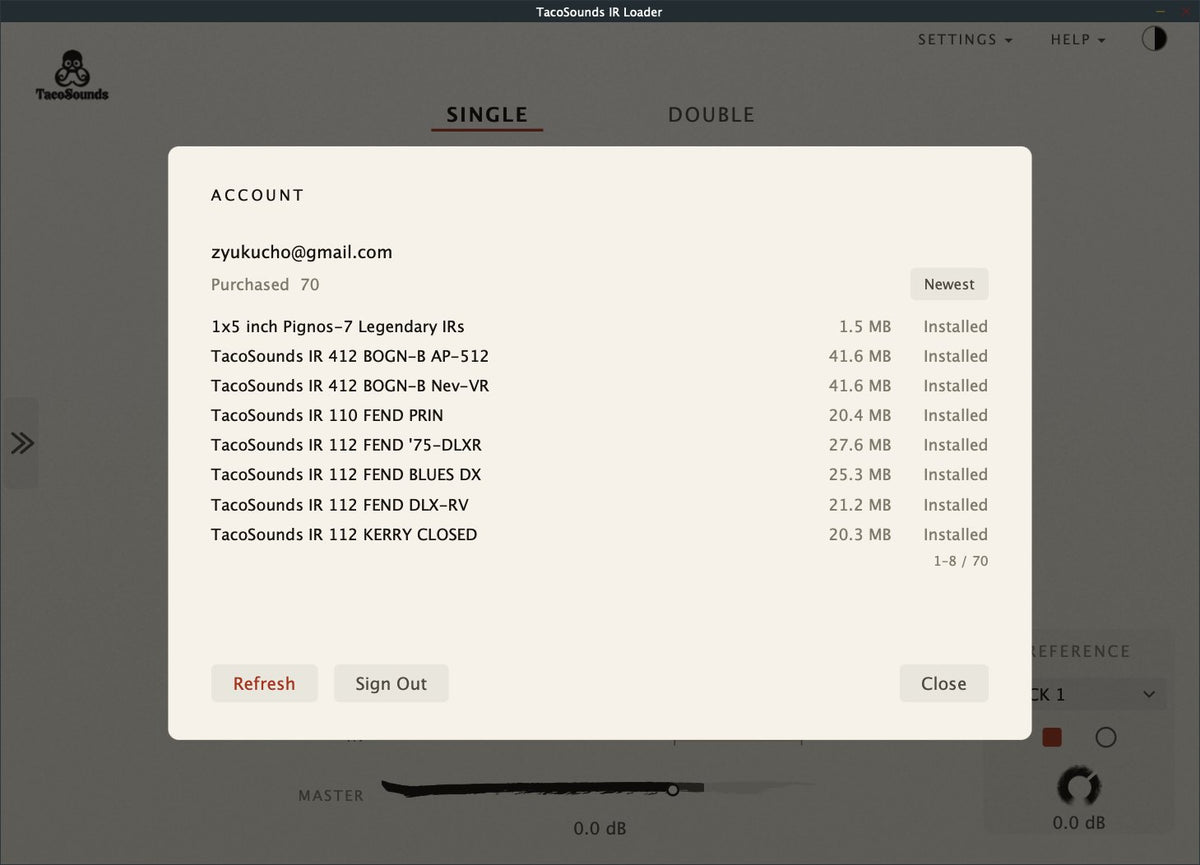
Click SIGN IN at the top right to see the TacoSounds packs you have bought and download them inside the plugin. You never type a password into the plugin: it shows a one-time code, and you enter that code on the TacoSounds website when you sign in.
Manual: 11. ACCOUNT

REFERENCE and REC
REFERENCE plays eight built-in sample tones (ROCK 1–3, HEAVY 1–2, COMBO 1–3) through the loaded IRs, so you can hear a cabinet before you plug anything in. REC records up to 60 seconds of your own playing and loops it through whichever IR you switch to.
Manual: 9. REFERENCE
Paper and Night
Two themes, English or Japanese menus and messages, and a window you can scale from 100 % to 200 %.
Manual: 12. SETTINGS

First launch
The first time you open IR Loader, the Free Sample Pack is extracted to your IR folder and one of its IRs is already loaded. A short Quick Guide points at the parts of the panel worth knowing.
Manual: 1. Getting started › First launch

What's included
- TacoSounds IR Free Sample Pack (2 cabinets × Single / Mixed Mic · 96 / 48 / 44.1 kHz · 500 ms / 200 ms) — extracted to your IR folder on first launch
- Sample tones ROCK 1–3 / HEAVY 1–2 / COMBO 1–3
- Product and microphone photos (shown in the UI)
Requirements
| macOS | 11.0 or later (Universal: Apple silicon / Intel) — AU · VST3 · AAX · Standalone |
|---|---|
| Windows | 10 or later (64-bit) — VST3 · Standalone |
| IR files | WAV / AIFF / FLAC / OGG — TacoSounds products and third-party IRs |
AAX (Pro Tools) is available on macOS. On Windows it will come later, together with a code-signed installer.
The once-a-day update check sends no account or personal information. When a new version is available, choose Update to v… in the SETTINGS menu and IR Loader downloads and installs it inside the app. It does not update until you choose to.
Manual: 1. Getting started › Formats and requirements
Install
-
Mac — open the downloaded
.pkgand follow the steps (signed and notarized). -
Windows — run the downloaded setup program (
.exe). Quit any DAW that uses the plugin first.
The Windows installer is not code-signed yet (a code signature is a digital signature that shows who published the file); a signature will be added later. Until then, Windows shows warnings when you download and run the installer. These warnings appear for files that are unsigned and have not been downloaded many times yet. They do not mean that a virus was found.
- Download (Microsoft Edge): if Edge says the file “isn't commonly downloaded”, choose … › Keep. In the prompt that follows, click Show more › Keep anyway.
- Run: if you see “Windows protected your PC”, click More info, then Run anyway. The publisher is shown as Unknown publisher.
We will replace it with a signed installer as soon as the certificate arrives. The Windows AAX version for Pro Tools needs the same certificate, so it will follow at that time.
Manual: 1. Getting started › Installing
Manual
Every part of IR Loader is explained chapter by chapter in the Manual. A PDF version is available to download. For questions about downloads and orders, see the FAQ.
You may also like

