



![410 FEND '65-SR | '65 Fender™ Super Reverb [Black Face] | '65 CTS™ 4×10″ | Cabinet Impulse Response](http://tacosounds.com/cdn/shop/files/410-fend-65-sr_main.jpg?v=1777550872&width=100)



IR Data Loading Instructions
Step 1: Click the Cabinet Section
In the main screen of BIAS FX 2, click on the "CAB" section. From here you can manage IR files.

Step 2: IR LOADER Button
Scroll down as indicated by the arrow and click the "IR LOADER" button

Step 3: Click +ADD FOLDER

Step 4: Enter a folder name of your choice
Enter "TacoSounds" to make it easy to find later.

Step 5: Click Import

Step 6: Select Files
This screen shows after loading the four 48kHz files from 'Special Collab IR Pack 2024'.
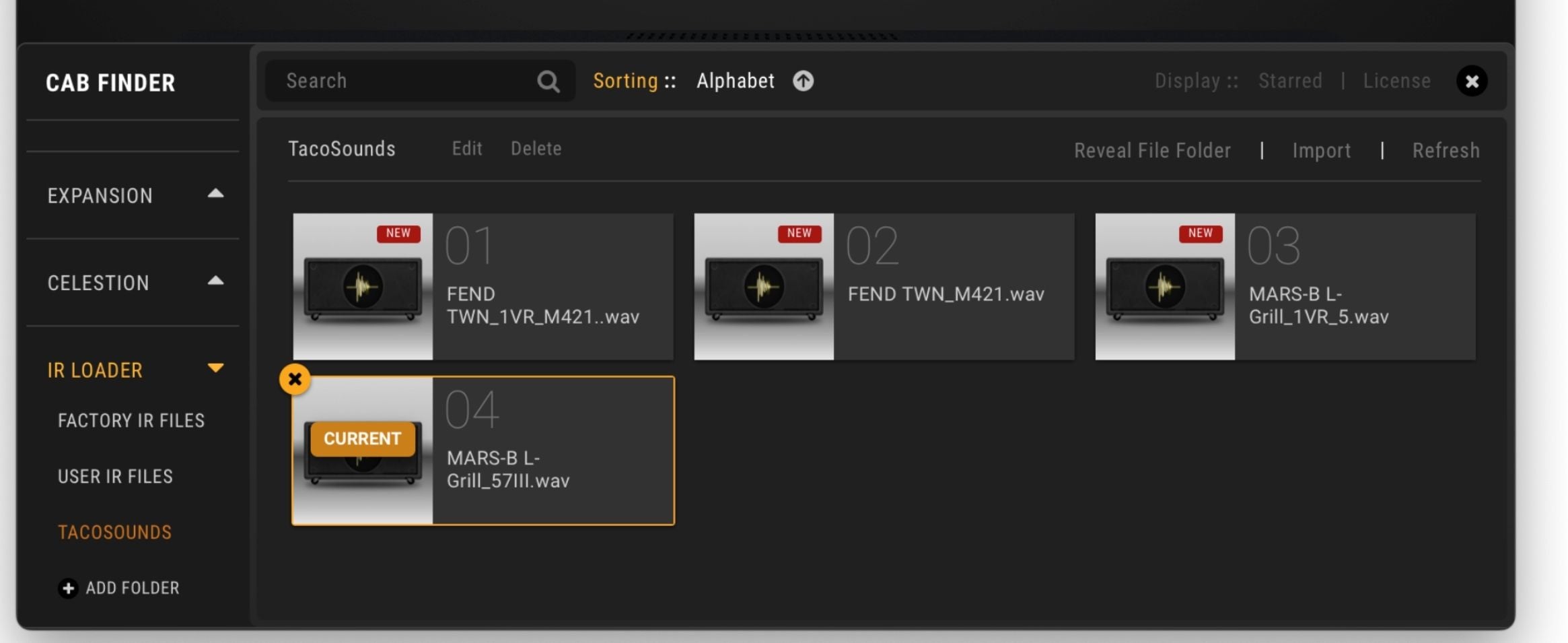
Step 7: Actually Using the IR
The LENGTH, MIX, LEVEL and other knobs are pre-tuned to be ready for use.
